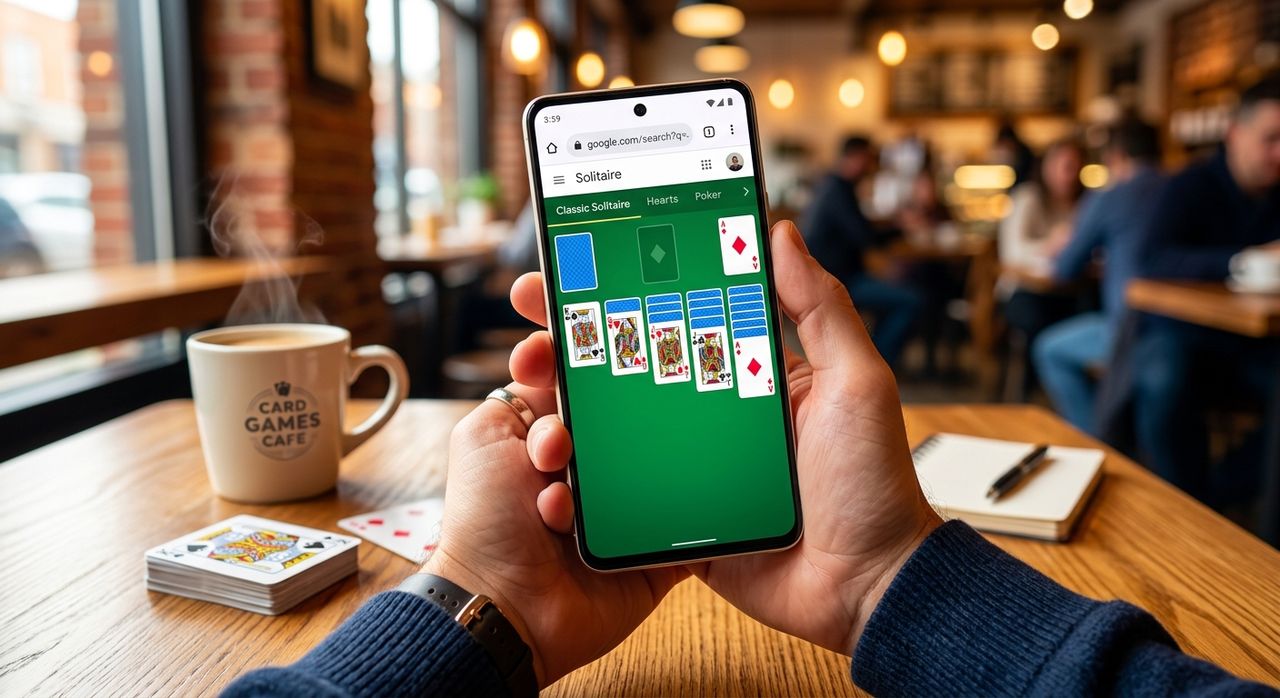
Most people who buy a new smartphone spend the first hour doing the same things. They swipe to feel the touch layer. They crank the brightness to judge the panel. They open a few pages and watch how fast things load. What most buyers overlook is that a well-built browser card game does all three checks at once, with no app install and no spec-sheet hunting required.
The Practical Benchmark Summary:
1. Spider Solitaire renders a dense two-deck layout that stress-tests both AMOLED and IPS panels equally well.
2. A daily-reset card game gives you a fresh, repeatable load-and-play test every morning for as long as you keep the phone.
3. Both games run directly in your mobile browser, making the test available on any device, any time.
Why Browser Games Reveal What Spec Sheets Cannot
Synthetic benchmarks give you numbers. Card games give you feedback you can feel. When you drag a card across a screen, you know immediately whether the touch layer introduces latency. When cards fan out in a tight tableau, you see exactly how the panel handles fine detail at small sizes.
Classic patience games have outlasted almost every other category of casual gaming for this reason. They do not demand fast reflexes, but they do demand a clear, readable screen and precise tap registration. Any device that handles them smoothly is handling the fundamentals of smartphone interaction correctly.
Browser card games have another honest quality over native apps. They cannot hide poor performance behind cached assets or pre-loaded shaders. The page loads cold, renders faithfully, and responds to input in real time. That puts the hardware on transparent display.
Spider Solitaire and the Two-Deck Display Challenge
Of all the patience variants, spider solitaire is one of the most visually demanding to render correctly. The game spreads 104 cards across ten columns on a single screen. That is a lot of small text, fine card borders, and layered suit symbols asking to be read at a glance.
Spider solitaire was first bundled with Microsoft Windows in the 1990s, turning a patience game into a household name almost overnight. Its roots in card-game history) trace back even further, with patience variants played by hand for well over a century. The name itself refers to the eight foundation piles that need to be filled, referencing the eight legs of a spider. Completion requires building eight complete suit sequences from King down to Ace, all within the same suit, from a shuffled two-deck starting position.
For a tech buyer, the display implications are real and immediate. The game's interface needs to show clearly which cards belong to ordered runs and which are out of place. On a low-quality panel, card faces blur together and misreads cost moves. On a good AMOLED screen, deep blacks and high contrast keep every card crisp even at small sizes. On a well-calibrated IPS panel, color accuracy keeps red suits and black suits visually distinct without bleeding or fringing at the edges.
Spider Solitaire also comes in three difficulty modes, each of which stresses the display differently. In easy mode, all 104 cards share a single suit, so the screen only needs to differentiate by rank. In medium mode, two suits are in play and color separation matters. Full four-suit mode puts every color and contrast demand on the display simultaneously, making it the most thorough visual test you can run from a browser tab on your lunch break.
Tap Precision Is the Other Half of the Test
Card games are natural precision tests because hitting the right card in a tight stack requires the digitizer to register exactly where your finger landed. A screen with poor touch accuracy causes misfires constantly. You pick up the wrong card, move to the wrong column, and sense very fast whether the touch layer is worth trusting.
Playing a daily card challenge pushes this further by resetting the test each morning with a fresh layout. Because the same deal reaches all players on a given day, your performance over time becomes a meaningful personal benchmark. If your new phone consistently lets you work through deals faster and more accurately than your previous device, you have real evidence the hardware improved, not just the novelty of holding something new.
The daily format also keeps the page-load measurement honest. You are not replaying a cached session from a previous visit. The server sends a new layout, the browser renders it from scratch, and you get a genuine read on loading speed, rendering time, and input latency in one short sitting.
How AMOLED and IPS Panels Handle Card Rendering Differently
Not every smartphone screen is built the same way, and card games expose those differences in a way that casual browsing never does.
AMOLED panels light each pixel individually and produce true blacks. The contrast between a dark card-table background and a bright white card face is as high as the screen can physically achieve. The tradeoff on some AMOLED panels is that colors can lean oversaturated, making the reds and blacks of card suits compete for attention rather than sitting calmly on the page.
IPS panels backlight the entire screen uniformly and deliver more neutral color reproduction. The white of a card face looks true to paper rather than blueish or warm. The red of a heart suit looks like print ink rather than neon. The tradeoff is that the card-table background carries a subtle grey glow rather than a genuine black.
Research into AMOLED panel development shows that modern Super AMOLED implementations added ambient light sensing and per-app color profile adjustments, addressing much of the oversaturation concern on older screens. On a recent flagship, AMOLED and IPS are closer than they once were for content like card games. Running the same layout on both panel types gives you an immediate sense of which display philosophy fits your visual preference for extended use.
A Method for Turning Card Games into a Repeatable Benchmark
If you want consistent, comparable results across devices, a structured approach helps. Here is one that works without any external equipment or downloaded software.
- Open your mobile browser with no other tabs active and clear the address bar completely.
- Navigate to the card game and note mentally when you tap the address bar.
- Note when cards first appear on screen. Under two seconds on a modern mobile connection is a solid baseline.
- Begin playing and pay attention to how cards respond when you drag them. Smooth movement with no visible lag means the browser is compositing correctly with the GPU.
- Look at small card text at arm's length. If you need to squint or zoom in, the combination of screen resolution and display calibration is working against natural readability.
- Complete a game or reach a session end and note your elapsed time. Run the same test on the comparison device under the same conditions and trust what you observe.
This is not a laboratory measurement. But it is honest, repeatable, and it reflects something you will feel on the device every single day, not just in a one-time comparison article.
What the Browser Itself Contributes
Not all mobile browsers handle card games equally well. A capable browser for this purpose manages CSS transforms smoothly so that card-flip animations run without stutter. It handles memory efficiently so that a 104-card game with multiple tracked state changes does not slow over a long session. And it respects the device's touch sampling rate, which on some gaming-oriented phones runs at 240 Hz rather than the standard 120 Hz.
Chrome for Android and Safari for iOS both handle these requirements well on current hardware. Lightweight browsers that skip GPU acceleration can make even a simple card game feel sluggish in ways that have nothing to do with the device itself. If a game performs poorly in one browser, testing in a second one before concluding the hardware is the problem is a worthwhile step.
The game's own code matters too. Card games built cleanly, without third-party tracking scripts and heavyweight banner ads, load faster and respond better. Part of what makes a browser game usable as a benchmark is that a clean loading experience gives you signal about the hardware, not noise from bloated page code.
Card Games as a Long-Term Relationship with Your Phone
Beyond the initial device test, browser card games earn their place on any phone over time. They need no subscription, no account, no notification permissions, and no storage space. They work in airplane mode after the first load. They fit into a two-minute gap without the social pressure of a multiplayer session or the commitment of a long-form game.
Classic patience has been played with physical cards for well over a century. The browser version carries that same structure forward, minus the shuffling and the need for a flat surface.
The Test That Never Expires
When you have owned your phone for several months, the excitement of initial comparison fades. But the habit of opening a card game in your browser each morning can quietly reveal when something has changed about the device. A phone that is throttling due to sustained heat will show it in animation smoothness before you notice anything else. A browser update that introduced a rendering regression will show it in tap response before any review site covers it.
You are not running a conscious test. You are playing, and the phone is telling you how it feels that day. That feedback is more durable than a benchmark score frozen in a screenshot. A number tells you something was true once, on a specific day, in a controlled environment. A game you open every morning tells you something that is true right now, in your hands, in your real conditions. That is a harder kind of evidence to argue with, and a more honest way to know whether the device you invested in is still performing the way it should.