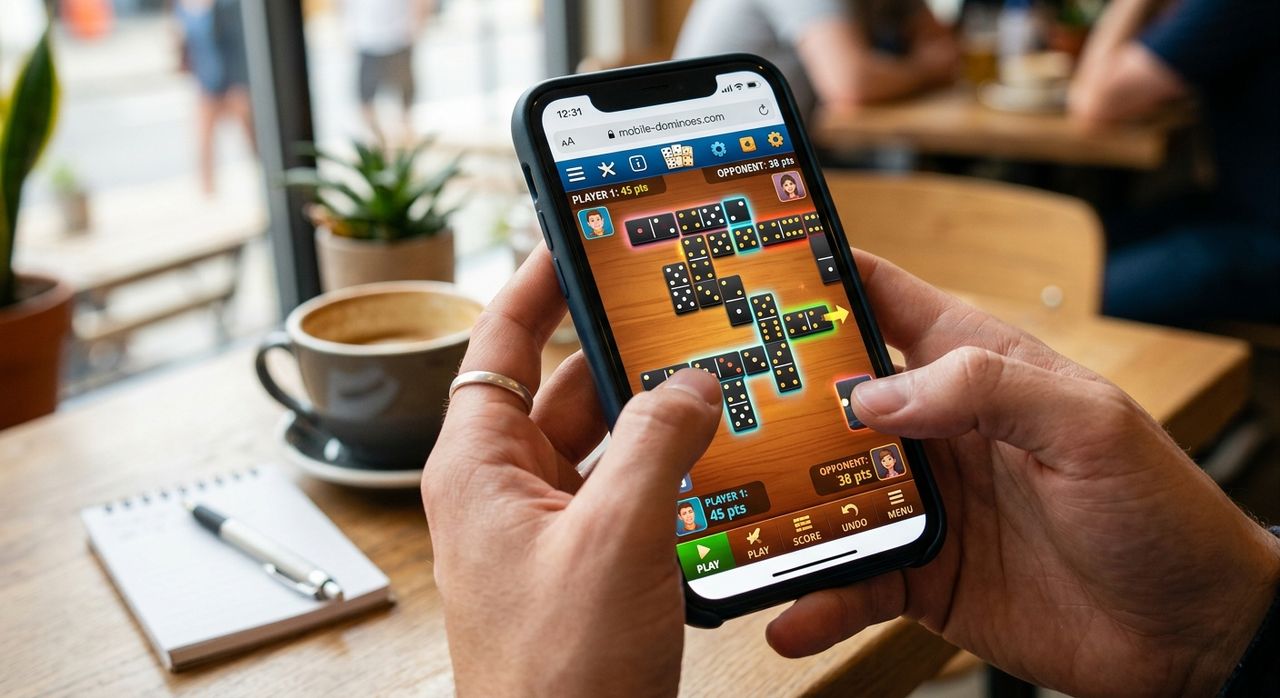
You just unboxed a new phone. The display looks sharp. The browser opens in under a second. And then you find yourself wondering what to actually load first to put the hardware through its paces. Social media feeds are fine, but you have seen those a thousand times. A video mostly tests your data connection. What you actually want is something that renders crisp graphics, responds to touch without lag, and gives you something to genuinely interact with. A game of dominoes, running right inside your browser, does all three. And it does it without a single download.
Why This Is Worth Your Attention
- Draw dominoes loads and plays entirely inside a mobile browser, no app store needed
- The bold, high-contrast tile graphics make a genuinely good test of a new phone display
- Entry-level handsets with 2GB of RAM run it without stuttering or dropped frames
- No account or sign-in is required, one tap and you are already playing
- Touch controls feel intentional, not like a mouse-first design squeezed onto a small screen
A Game With Centuries of History, Built for a Two-Inch Tile
There is a reason dominoes has survived across centuries and continents. The game reached Europe from China by the 18th century and has never really stopped spreading. That longevity is not just cultural. The rules are clear. The visual language, rectangular tiles marked with numbered pip arrangements, communicates everything a player needs at a glance. There is no hidden information to decode and no complex board state to memorize.
That simplicity is exactly what makes dominoes work on a phone. The entire game is already designed around small, readable pieces that you pick up, read, and place. Translating that to a touchscreen is not a compromise. It is almost a natural fit.
Why Tile-Based Games Are Naturally at Home on Small Screens
Think about what a domino tile actually looks like. It is a rectangle with dots. Bold, geometric, and immediately readable from a distance. That visual design sits well within the constraints of a 6-inch display in a way that many other game formats do not.
Compare it to a card game loaded with intricate artwork, or a strategy game with twelve overlapping status bars. Those designs fight the limited space of a phone screen. Domino tiles work with it. The board expands horizontally and vertically in a chain as the game progresses. Your hand sits at the bottom of the screen in a clean row. Everything you need to make a decision is visible without zooming or scrolling.
For someone who has just upgraded to a phone with a sharper or brighter panel, that contrast between the white tile face and the dark pip dots is actually a satisfying way to see what the display can render. Clean geometry reveals panel quality in a way that video playback does not.
What the Draw Format Gets Right That Other Variants Do Not
Not every version of dominoes translates equally well to a browser on a small screen. Some formats involve complex bidding, large player counts, or rules that reward extended planning sessions better suited to a keyboard and a large monitor. The draw format is a different story entirely.
In draw dominoes, you place tiles by matching the pip count at each open end of the chain. If you cannot make a move, you draw from the remaining boneyard until you can. The game ends when one player empties their hand or the board locks completely. That structure keeps rounds tight and decisions frequent. A session might last eight minutes or stretch to twenty, but you are never sitting idle for long.
Playing draw dominoes in a browser means you can start a round during a commute, finish it before your stop, close the tab, and pick up a fresh game later. No save-state anxiety. No login screen waiting on the other side. No tutorial taking five minutes before you touch a single tile. The game is simply there when you load the page.
Performance on Entry-Level Handsets: What the Numbers Actually Suggest
The concern with browser games on budget phones is almost always the same: frame rate. Games that rely on WebGL shaders, animated particle effects, or heavy JavaScript loops can push a 2GB-RAM device into visible choppiness within seconds. Dominoes sidesteps that problem by design.
The visual complexity is genuinely low. The renderer draws rectangular tiles, updates a score counter, and animates the occasional tile slide into place. That workload sits well within what a mid-range Snapdragon or MediaTek chip can handle comfortably. The browser's JavaScript engine does the calculation work, and the GPU barely has to break a sweat.
If you have just upgraded from an older handset and want to know whether the new processor actually makes a difference in day-to-day browser performance, loading a well-built browser game gives you a cleaner read than opening a news page with seventeen ad scripts competing for the same resources.
Browser Game vs Installed App: What Changes for Casual Domino Players
| Factor | Browser Game | Installed App |
|---|---|---|
| Time to first move | Tap a link, play in seconds | Download, install, open, often update |
| Device storage used | Near zero, browser cache only | 50MB to 300MB typical |
| Account required | No | Often yes, with email verification |
| Ad interruptions | Minimal to none | Frequent in free tiers |
| Ready on a new phone | Works immediately, no restore needed | Depends on your backup and restore process |
Touch Controls That Feel Built for Fingers, Not Ported from a Mouse
A lot of browser games started life on desktop. The touch version came later, usually as an afterthought, and it shows. Tap targets end up too small. Dragging feels imprecise. You spend more time fighting the interface than actually playing.
Dominoes is different because the core physical metaphor already matches a touch gesture. Picking up a tile and placing it is what you do with your finger. Tap to select, drag to the matching end of the chain, release to place. The action feels like a natural extension of the game itself rather than a workaround for the absence of a cursor.
On a phone with a high touch sampling rate, which many devices now ship with even in the mid-range bracket, that responsiveness makes the game feel almost tactile. The tile slides into place with a satisfying snap, and the board updates cleanly. There is no input lag catching you off guard.
Where in a Game the Display Gets Its Best Workout
The mid-game board state is where a phone display really earns its keep in dominoes. Tiles chain off in multiple directions, the play area expands dynamically across the screen, and the browser's rendering engine has to handle smooth redraws as the layout shifts. A display with good color accuracy and a processor with a capable GPU handle this without tearing or ghosting. A phone that struggles will show it here, with tiles that stutter slightly as they animate into position.
The endgame scoring screen is a smaller but equally useful data point. Tiles line up in a clean grid, pip counts appear clearly, and the contrast between tile faces and background gives the panel's brightness and white point a genuine test. It is not a benchmark in the traditional sense, but it tells you something real about how the hardware handles a crisp, geometry-heavy render.
What Actually Makes This Feel Like a Full Game, Not a Demo
The most common disappointment with browser-based games is that they feel incomplete. You get a few rounds free before a paywall appears, or the AI opponents play so poorly that there is no real challenge, or some core feature is locked behind a download prompt. A well-implemented browser dominoes game avoids all of that.
Here is what a genuinely complete browser dominoes experience includes:
- AI opponents that play correctly under the actual draw rules, not a simplified version
- A boneyard that functions properly, drawing tiles when no move is available
- Score tallying at the end of each round, counted from the pips left in losing hands
- Responsive layout that reflows correctly whether you are in portrait or landscape orientation
- No push notification request, no permissions dialog, no data collection prompt on load
That combination, real rules, real challenge, zero friction, is what separates a game worth returning to from one that you close after two minutes.
Your New Screen Deserves More Than a Passive First Test
Loading a video to test a new display is a passive experience. The screen either looks good or it does not, and there is nothing you can do to interact with the content. A game is different. You are reading tiles under varying amounts of ambient light. You are watching animations and judging whether they feel smooth. You are making decisions and feeling the touch latency respond to your inputs.
All of that happens in a game of dominoes, inside a browser, on a phone that might have shipped yesterday. The tile graphics give the display a clear, high-contrast rendering task. The game logic gives the processor a consistent workload. The touch controls give you an honest read on input responsiveness.
The fact that dominoes has existed in one form or another for several hundred years and still maps this cleanly onto a 2026 mobile browser is not a coincidence. It is what happens when the core design of a game is already simple enough to survive translation across every format it has ever encountered. The phone just happens to be the latest one.