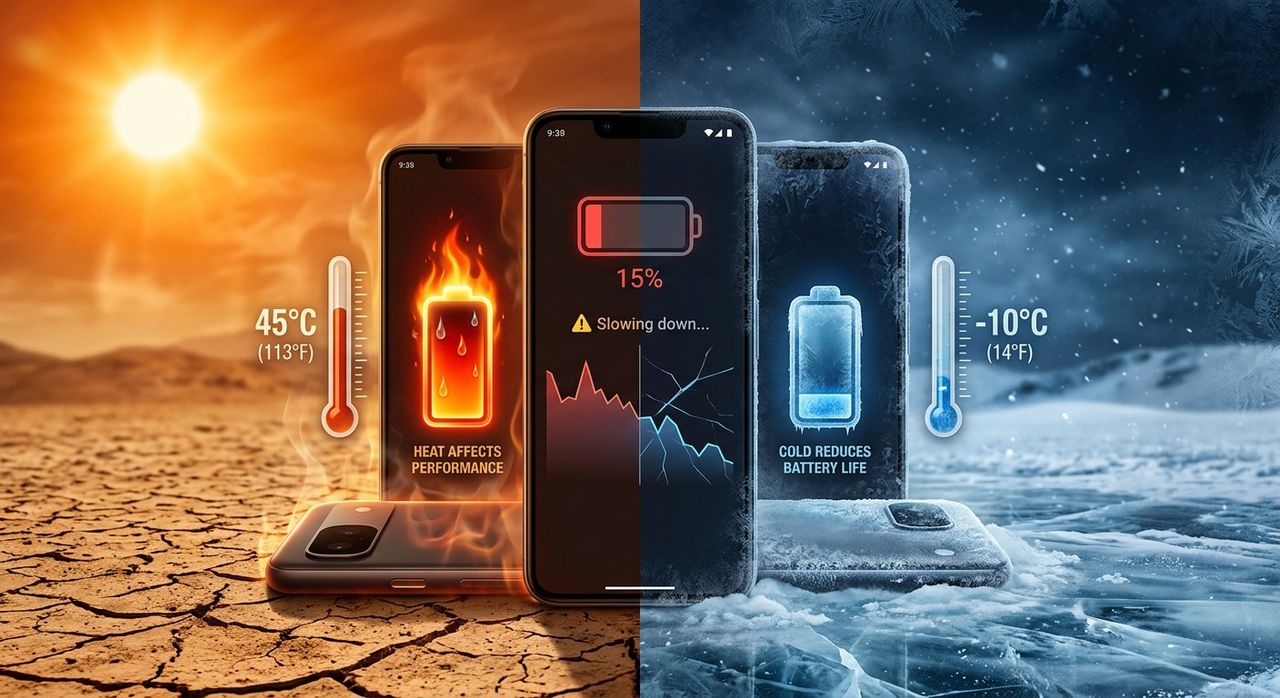
Your phone was fine this morning. Forty-five minutes standing outside at noon, though, and you noticed the screen dim, the camera shutter lag, and the battery reading drop faster than usual. Nothing in your settings changed. The only variable was the temperature around you. In a country where stepping outside often means walking into 32°C air thick with humidity, the invisible war between heat and smartphone hardware plays out on millions of devices every single day.
Battery Under Pressure: 3 Key Facts
- Lithium-ion batteries degrade measurably and permanently when repeatedly exposed to temperatures above 35°C.
- Your phone's CPU deliberately throttles its own speed under heat, making apps visibly slower as a self-protection measure.
- The perceived heat around your device matters more than the raw air temperature number when predicting real device stress.
The Chemistry Your Battery Is Quietly Losing To
The power source in your phone is almost certainly a lithium-ion battery. It stores and releases energy through an electrochemical process involving lithium ions moving between two electrodes through a liquid electrolyte. At normal temperatures, this is controlled and repeatable. At elevated temperatures, it becomes destructive.
Heat accelerates the chemical reactions inside the cell. That sounds neutral, but faster reactions here mean faster breakdown of the separator between electrodes, faster degradation of the electrolyte, and lithium depositing in irregular patterns that permanently reduce how much charge the battery can hold. No software patch reverses this. No charging trick undoes it. The damage is baked into the chemistry from the moment the temperature crosses the threshold.
Apple, Samsung, Google, and every other major manufacturer document an operating temperature range for their devices. The upper limit is consistently around 35°C. Many spec sheets, especially those written for North American markets, express this in Fahrenheit. Plugging those numbers into a celsius converter immediately clarifies the picture: 95°F is exactly 35°C, the point where accelerated degradation begins. That is not a buffer. That is the ceiling.
What Outdoor Conditions in Singapore Actually Look Like for Your Phone
Singapore's average daily air temperature sits between 26°C and 34°C through most of the year. On the surface, that looks like it barely touches the danger zone. The problem is that 34°C air temperature is measured in the shade, at a standardised height above the ground with airflow. The conditions your phone actually experiences on a hot afternoon bear little resemblance to that number.
A phone lying face-up on a table in direct sunlight absorbs radiant heat from the sun on top of ambient air temperature. A phone in a dark-coloured case inside a bag resting on sun-heated concrete can accumulate heat from multiple directions at once. Internal phone temperatures regularly exceed ambient air temperature by 10°C to 15°C under these conditions, pushing a device well past the 35°C threshold even on a seemingly moderate day.
Before a long outdoor stretch, checking Singapore live weather gives you a real-time read on ambient conditions. On days where air temperature is already at 33°C or 34°C, any additional thermal load means the battery is almost certainly operating above its safe ceiling.
How Your Phone Protects Itself by Getting Slower
Heat does not just damage the battery. It forces the processor to deliberately reduce its own performance. This built-in behaviour is called thermal throttling, and every modern chip architecture uses it. When the processor detects that its core temperature is climbing past a safe threshold, it reduces clock speeds to generate less heat. The phone stays on. It does not crash. It just becomes noticeably less responsive.
You experience throttling as a general sluggishness that is hard to pin to any single cause. Pages scroll with slightly less fluidity. The camera takes a fraction longer to capture. Games drop frames. Apps open more slowly. Many users assume their phone is aging or that a factory reset will help. In reality, the phone is functioning exactly as designed, protecting its internals from thermal damage by trading performance for survival.
The challenge in Singapore is that throttling thresholds can be reached during completely ordinary use. A processor running navigation, connectivity, and screen brightness simultaneously, in 33°C ambient air with the sun on the back of the phone, can cross its thermal limit within minutes. The device is not broken. The environment is simply outside the parameters the hardware was designed for.
Why the Number on the Thermometer Underestimates Your Phone's Problem
Air temperature is measured under very specific conditions: shaded, elevated above the ground, with airflow around the sensor. None of those conditions apply to a phone in your pocket or resting on a sun-facing surface. The thermal load your device actually experiences is determined by multiple factors working at the same time, and the interaction between heat and humidity makes it significantly worse.
Direct solar radiation alone can add 10°C to 20°C to the surface temperature of any object in its path. High humidity slows the natural evaporation of moisture at the phone's surface, removing one of the few cooling mechanisms available. Body heat contributes further when the phone is against you. Together, these create a felt environment around your device that is far more intense than the air temperature figure suggests. A thorough heat index guide explains exactly how temperature and humidity combine to produce experienced conditions well above what the raw reading shows, and that same principle applies directly to the thermal environment your phone sits in.
This is why identical air temperatures can produce very different outcomes for two phones in the same location. One sits in a shaded bag with airflow. The other rests face-up on a glass table in the sun. The weather app reads the same for both. The actual thermal stress on their batteries is not the same.
Signs Your Battery Has Already Taken on Heat Damage
Heat damage to a lithium-ion battery is cumulative and quiet. There is no single dramatic event. The degradation builds over months of repeated high-temperature exposure, and by the time a clear problem appears, the capacity loss is already well established. Watch for these warning signs:
- The phone charges noticeably slower than it did a year ago, even using the original charger and cable.
- Battery percentage drops sharply during light tasks, especially in warm conditions.
- The device becomes warm during undemanding activities like reading or messaging.
- Battery health in iOS settings or through a third-party Android diagnostic app shows capacity below 85%.
- The phone shuts off unexpectedly at 10% to 20% remaining rather than reaching zero.
- Full charge sessions feel faster than they used to, because there is simply less capacity left to fill.
Two or more of these symptoms together reliably point to a battery that has absorbed more thermal stress than its chemistry was built to handle. Software fixes are not available here. Replacement is usually the only lasting solution.
Cold Weather and the Temporary Shutdown Problem
Singapore rarely sees cold weather, but frequent travel and heavily air-conditioned indoor spaces mean cold has some relevance for local users. Cold affects lithium-ion batteries through a completely different mechanism than heat. Rather than permanent chemical damage, cold thickens the electrolyte inside the cell, slowing the movement of ions and temporarily reducing the battery's ability to deliver power at full voltage.
The result is a sudden, temporary performance collapse. A battery reading 30% might drop to near zero and force a shutdown when exposed to cold, then recover back to 25% or more once the phone warms up. The capacity was not gone. Cold simply prevented the battery from delivering it. This can leave you without a working phone at an inconvenient moment, even though the battery itself is perfectly intact.
For Singapore users, this matters most during overseas travel to cooler climates. Keep your phone in an inside jacket pocket rather than an outer compartment. Body warmth is enough to keep the battery in its functional temperature range during most cold-weather conditions, and the temporary drain from cold air exposure is avoided entirely.
Practical Steps to Reduce Thermal Stress Every Day
You cannot change the climate. You can change the conditions your phone operates in. These steps are ordered by how much impact they make:
- Never leave your phone in direct sunlight. Even five to ten minutes of direct sun exposure on a hot day can spike internal temperatures past the safe threshold before you notice any outward sign.
- Remove thick cases during extended use or charging. Bulky cases trap heat. Removing the case while charging or running demanding apps lets the chassis dissipate heat naturally through its surface area.
- Avoid charging in hot environments. Charging generates its own internal heat. Adding high ambient temperature at the same time creates a compounding thermal load that is harder on the battery than either factor alone.
- Enable low power mode proactively during outdoor activity. Reducing CPU workload reduces heat generation. Using this before the battery drops to 20%, rather than after, is more effective at managing thermal output during long outdoor stretches.
- Keep the phone in a shaded bag compartment, not a sun-exposed pocket. Fabric and shade provide real insulation from radiant heat. A phone in a shaded bag runs several degrees cooler than one resting on a surface in direct light.
- Avoid heavy tasks when the phone already feels warm. Gaming, video streaming, and navigation all push the processor hard. Running them on a device already at elevated temperature accelerates the climb toward throttling and adds more stress to an already strained battery.
Making Peace Between Your Phone and Singapore's Heat
The relationship between heat and smartphone hardware is not complicated, but it is relentless. Lithium-ion chemistry degrades above 35°C. Processors throttle under heat to protect themselves. In a city where air temperature, humidity, and direct sun regularly combine to push felt conditions well past that threshold, every unmanaged hour of outdoor exposure represents accumulated battery aging that compounds invisibly over time.
The damage is silent. Your phone does not warn you that its battery just aged three weeks in one afternoon in the sun. The sluggishness from throttling reads as general wear. The faster discharge looks like normal battery life getting shorter with age. Only after months does the pattern become obvious enough to diagnose, and by then the capacity loss is permanent.
None of the protective habits here are difficult. Shade, airflow, not charging in hot environments, removing a thick case during heavy use. Small adjustments that change the thermal conditions your device lives in every day. A phone that spends less time above 35°C keeps its battery healthier longer, throttles less often, and performs closer to the way it did on launch day for a meaningfully greater portion of its lifespan. In a climate as demanding as Singapore's, that difference adds up to real money and real convenience over the years you carry the same device.