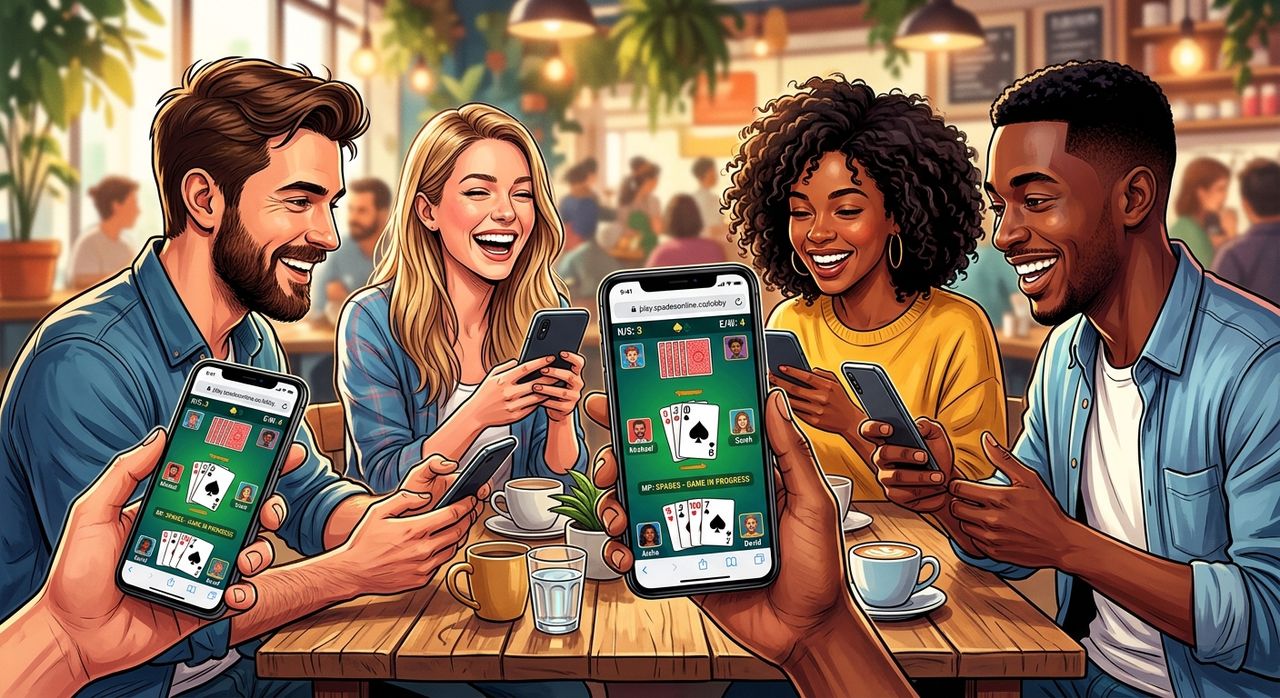
Your phone cost you serious money. You compared chipsets, scrutinised display specs, and read RAM benchmarks before committing to a purchase. Now someone asks you to install yet another app just to play a card game online. There is a better option. The browser already sitting on your phone, whether it is a mid-range model or a premium flagship, handles real-time multiplayer card games without a single download or account registration.
Here Is What Matters
Any current mid-range smartphone handles real-time WebSocket multiplayer directly in a mobile browser with no installation needed. Browser-based card games use less RAM and take up zero storage compared to most downloaded apps, connect just as fast on a Singapore 4G or Wi-Fi connection, and never clutter your phone with unnecessary permissions. If your phone is good enough to stream video and browse product pages, it is good enough to play spades against real opponents right now.
Why Mid-Range Phones Are More Than Enough for Browser Gaming
Singapore smartphone buyers often agonise over the gap between mid-range and flagship. The camera system, the refresh rate, the processor tier: all of it gets examined before purchase. For browser-based card games, that gap nearly disappears.
Real-time card games running over a WebSocket connection use very little data and almost no GPU resources. The heavy lifting is game logic, not graphics rendering. A Snapdragon 6-series chip handles it just as cleanly as a Snapdragon 8-series. The browser renders a handful of card images and a scoreboard. Battery drain stays minimal. Performance is smooth across the board.
This is the point that gets missed in spec comparisons. The hardware needed to browse, stream, and message is the same hardware needed to run a live multiplayer card session. If your phone passed your purchase evaluation, it was already capable of this before you even finished unboxing it.
What WebSocket Technology Actually Does for Card Games
Most phone buyers think about 5G and Wi-Fi speeds but rarely consider the protocol that makes browser multiplayer feel instant. A WebSocket connection stays open continuously between your browser and the game server. Unlike a standard HTTP request that opens, sends data, and closes, WebSocket maintains a live channel. The server pushes each card play to every player the moment it happens, with no polling and no waiting.
For a card game, this is exactly what you need. Spades relies on reading your partner's bids and reacting to the table in real time. If there was a noticeable lag between someone laying a card and your screen updating, the experience would feel broken. WebSocket eliminates that latency, and it runs comfortably on any mobile browser released in the last five years. Every major browser on Android and iOS qualifies without exception.
The card game of spades has been a staple of American trick-taking culture since the 1940s and translates naturally to a browser format. Partners coordinate through bids, opponents try to set each other, and the strategic depth keeps players coming back session after session. A browser tab captures all of that without asking anything extra from your device beyond a working internet connection.
Any mid-range mobile browser handles real-time multiplayer as smoothly as a flagship.
What Joining a Live Spades Session on Mobile Actually Looks Like
The experience is cleaner than most people expect. Jumping into live spades from your mobile browser puts you in a real game within seconds of opening the link. The whole flow happens inside a single tab, no app store involved. Here is what it looks like from a Singapore 4G connection:
- The page loads in under two seconds on most current mid-range handsets.
- You enter a display name with no account registration or email address required.
- You create a room or join an existing one and share the link with friends.
- Cards are dealt automatically once the table fills and bidding begins immediately.
- Every card play syncs to all players with no noticeable delay between moves.
- Scores update live after each hand and the interface scales cleanly to any screen size.
The tap targets are designed with thumbs in mind. Whether you are on a compact 6.1-inch display or a larger 6.7-inch panel, the cards are readable and the controls sit where your fingers naturally rest. There is no separate mobile version to hunt down because the browser interface was built for mobile from the start.
Mid-Range vs Flagship: Browser Card Game Performance Side by Side
| Performance Area | Mid-Range Phone | Flagship Phone |
|---|---|---|
| Page load time (4G) | 1 to 3 seconds | 1 to 2 seconds |
| WebSocket card sync latency | Imperceptible | Imperceptible |
| Browser RAM usage | Under 150 MB | Under 150 MB |
| Storage required | None | None |
| Battery drain per hour of play | Low | Low |
| Works without installation | Yes | Yes |
For browser-based card games, the performance difference between phone tiers is negligible. What matters here is network speed, not chipset generation.
A Solo Option for Lunch Breaks and Commutes
Not every session calls for four players and a full evening. Sometimes you have five minutes between meetings or a train ride that needs filling. Commutes and lunch breaks are perfectly suited to a daily deal session. It delivers a fixed hand refreshed every 24 hours, playable solo against computer opponents. Same rules, same scoring structure, but contained in a single self-paced session with no need to coordinate with anyone.
The hand changes each day, giving returning players something new to work through. It functions as a genuine daily habit, the kind that fits into the margins of a busy schedule. And because it runs in the same browser environment as the multiplayer mode, the performance on your mid-range phone is identical. No separate download. No different load behaviour. Just a clean browser tab and a hand to play through on your own terms.
App Fatigue Is Real, and Browser Games Solve It
Singapore phones are often packed tight. Messaging apps, banking apps, transit apps, food delivery platforms, and a handful of others all compete for the same storage pool. Many users hit storage warnings on 128 GB devices faster than they expect, and game apps are typically the first to get uninstalled. They arrive during a moment of curiosity and get deleted a week later when the notifications start stacking up and the storage counter keeps creeping higher.
A browser-based card game eliminates that entire cycle. Nothing installs. Nothing pushes notifications at 11pm. Nothing runs in the background after you close the tab. Your available storage remains exactly where it was before you opened the browser, and there is nothing to manage between sessions.
Here are the main reasons Singapore mobile users are stepping away from downloaded card game apps:
- App downloads eat into storage that already stretches thin across many essential tools.
- Game apps update automatically and burn mobile data at inconvenient moments.
- Many card game apps request permissions that have nothing to do with playing cards.
- Browser games work immediately on any device without re-downloading when you switch phones.
- No account creation means the barrier to starting a game is as low as it can possibly be.
Your Phone Cleared This Bar the Day You Bought It
There is a clean logic running through all of this. The hardware specifications you read before buying your phone were written to cover everything people actually do with a smartphone. Browsing, streaming, messaging, and gaming in the browser. A device built to handle those tasks was already equipped for real-time WebSocket card gaming before you even finished reading the spec sheet in the store.
Mid-range phones in the Singapore market right now ship with processors, RAM configurations, and browser engines that comfortably exceed what browser-based multiplayer requires. The flagship advantage shows up in camera systems, high-refresh 3D gaming, and sustained compute tasks. For a browser card game against live opponents, the playing field is level from the moment either phone connects to the network.
Card games have always brought people together around a table. That table is now a browser tab, and the phone in your pocket is already a seat at it. The next time a friend suggests a round, skip the app store entirely. Open the browser, share the link, and start bidding. Your phone passed the test long before anyone asked it to.