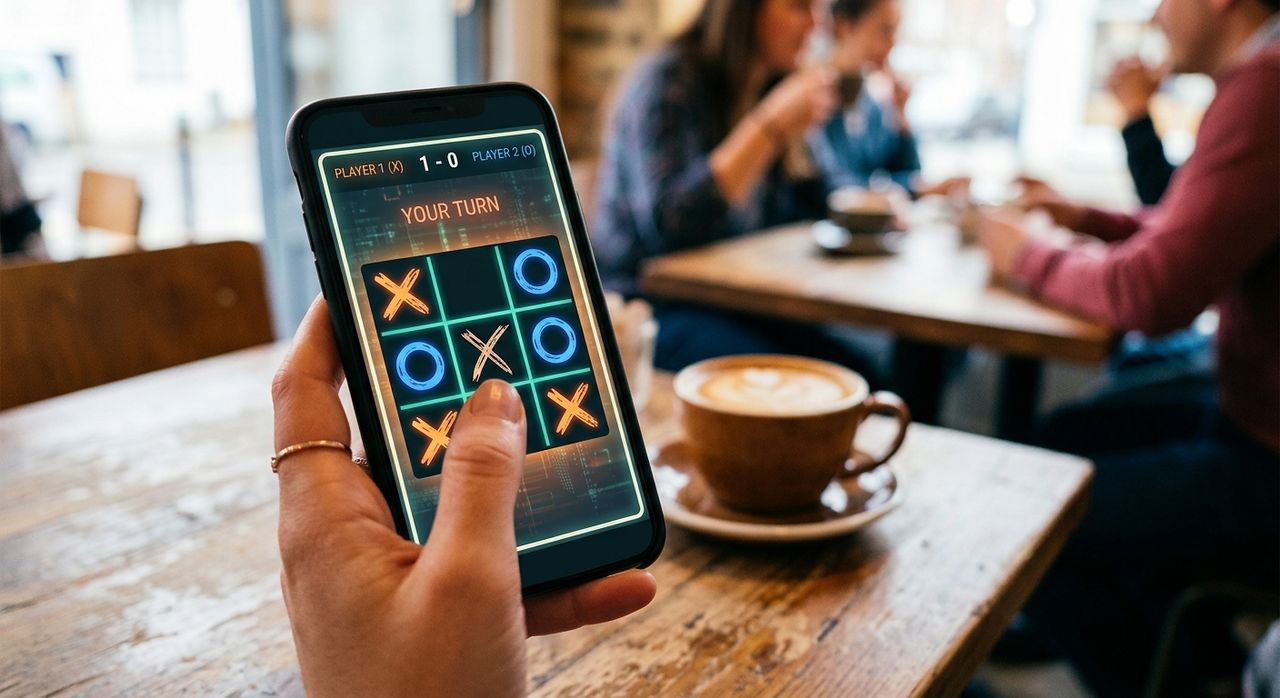
There is a quiet truth every mobile gamer eventually learns: the fancier the game, the worse it plays on a small screen. Tiny hit zones, cluttered menus, and heavy textures all fight against you when your display tops out at five inches. Tic Tac Toe, a game most people last played with a pencil and graph paper, sidesteps every one of those problems. Its grid is minimal, its tap targets are generous, and there is no asset loading screen between you and your first move. That simplicity is not a limitation. It is the design.
Key Points:
1. Tic Tac Toe's minimal grid and large tap zones make it one of the most finger-friendly games on any small display.
2. Budget 720p panels and flagship QHD screens both render the game's crisp lines without visual compromise.
3. Strategic depth scales with variants like Ultimate Tic Tac Toe, keeping the format relevant well beyond the basics.
The Problem With Most Mobile Games on Small Displays
Mobile game designers often build for screenshots first and fingers second. A visually rich interface looks compelling in the app store thumbnail. On a 5-inch screen held in your hand, those same interfaces turn into navigation puzzles. You miss buttons. You trigger the wrong action. You close a menu you meant to open.
The problem is UI overhead. Every element that does not directly serve the game takes up space that could belong to a tap target. Action bars, currency displays, skill trees sitting in-app sidebars, all of this compounds on a small form factor until the game becomes harder to play than it looks. Pixel density helps, but only to a point. Even the sharpest 720p display cannot fix a layout that was never built for compact hands.
Why Grids Scale Perfectly to Any Panel Size
A Tic Tac Toe grid has three cells across and three cells down. That is it. On a 5-inch display at 720p, each cell can comfortably occupy around 40 to 50 millimetres squared, well above the minimum tap target size that most accessibility standards recommend. There is no secondary interface layer to navigate. The game state is always fully visible. You see every cell, every played piece, and the entire board in a single glance.
This scales remarkably well across screen sizes. A budget phone with a 5-inch 720p panel and a flagship with a 6.7-inch QHD display both render the grid with clean, sharp edges. The lines are simple geometry. There are no sprites to load, no shadow maps to compute, no texture atlases to stream. The game renders instantly.
This is what makes grid-based games so durable for mobile. They do not fight the hardware. They cooperate with it.
Understanding Pixel Density and Game Clarity
Pixel density, measured in pixels per inch, determines how sharp a display appears at normal viewing distance. A 5-inch panel at 720p delivers around 294 PPI. A 1080p panel at the same size jumps to around 441 PPI. The difference is visible in fine details like thin text and intricate game art.
For Tic Tac Toe, this difference barely matters. The grid is made of thick lines and large symbols. The X and the O are rendered large enough that even 294 PPI makes them crisp and easily distinguishable. Games that rely on small icons, detailed maps, or micro-UI elements suffer far more at lower pixel densities. A game built around a simple grid is almost immune to this variable.
That is a meaningful advantage on budget devices. Mid-range and entry-level phones dominate global smartphone sales. Most of those devices land in the 720p range. A game that plays equally well at 294 PPI and 441 PPI has a wider effective audience than one that only shines on premium hardware.
The Hierarchy of Mobile-Friendly Design
Here is how the most important design factors rank when a game targets small mobile screens:
- Tap target size: Every interactive element must be large enough to hit reliably without zooming.
- Visual simplicity: Fewer on-screen elements mean less cognitive load and fewer missed taps.
- Load time: Players on mobile expect instant play. A game that loads in under a second keeps them.
- Render weight: Lighter assets mean the game performs consistently across low-end hardware.
- State legibility: The current game state should be readable at a glance, without scrolling or zooming.
Tic Tac Toe scores at the top of every category. That is not an accident. The game predates the smartphone by centuries, yet its format aligns perfectly with what modern mobile design demands.
How Budget Phones Handle Grid Games vs Heavy Titles
| Feature | Tic Tac Toe Grid Game | Heavy Mobile Game |
|---|---|---|
| Load time | Under 1 second | 5 to 30 seconds |
| RAM usage | Minimal | High |
| Tap target size | Large | Often small |
| Render cost | Near zero | GPU dependent |
| Playable at 720p | Yes, fully | Often degraded |
| Works offline | Yes | Usually no |
The gap in the table above is not about art style or genre preference. It is about whether the game can deliver a complete, comfortable experience on a mid-range device. Grid games win that comparison consistently.
Strategic Depth Without Interface Complexity
One criticism sometimes aimed at Tic Tac Toe is that it runs out of room to grow. A standard three-by-three game between two experienced players almost always ends in a draw. The strategy is fully solvable. That ceiling is real.
The answer is not to add more UI. The answer is to scale the grid. Tic Tac Toe traces its roots back thousands of years, and players have been inventing spatial variants for most of that time. The most compelling of these for modern players is the nine-board version. In this format, each cell of the outer grid contains its own inner three-by-three game. Your move in the inner game determines which outer cell your opponent must play next. The strategic complexity multiplies dramatically, yet the visual format remains a grid of clean lines and clear symbols.
If you want to test that depth for yourself, the ultimate challenge version is a strong starting point. The rules take a few minutes to internalize, but once they click, the game feels genuinely hard in the best way. And it still renders on a 5-inch 720p panel without visual compromise. No bloated menus, no cluttered interface. Just nine grids nested inside one outer grid, all visible at once.
The Budget Phone Angle That Changes Everything
Most mobile gaming coverage focuses on flagship hardware. The assumption is that the best experience requires the best specs. That framing misses where most people actually play.
The majority of global smartphone users carry a device in the 720p range. For many, the constraint is not preference but budget. A game that demands QHD visuals to be readable is a game that excludes the majority of its potential audience. Grid-based games flip that equation entirely. Their clarity does not depend on resolution. Their performance does not depend on GPU tier. They are the rare category that genuinely performs identically on a small, simple device as on a top-of-the-range model, because there is nothing competing for the screen space.
This also has a practical implication for how you choose games on a budget phone. If load times frustrate you, if animations stutter, if the interface feels cramped, the problem is rarely your phone. It is the game's design assumptions. Switching to a format built around a grid usually solves all of those issues at once.
What Makes a Game Truly Mobile-Native
True mobile-native design is not about building something for touchscreens. It is about building something that gets better on a touchscreen than it would be on any other input method. Tic Tac Toe is a strong example. Tapping a cell is faster and more natural than clicking it with a mouse or pressing a button on a gamepad. The touch input adds nothing extra and removes nothing from the experience. It fits perfectly.
The test for any mobile game is whether you can pick it up, complete a session, and put it down in under two minutes without ever feeling like the interface worked against you. Tic Tac Toe clears that bar every time. The grid-based format makes every interaction obvious. There is no learning curve for the controls because the controls are just tapping the place where you want to play.
Tic Tac Toe at 720p, and Why It Belongs on Every Phone
The conversation around screen resolution on sites like Gridmobile often centers on how pixel density affects media consumption, text clarity, and photography. Games are usually an afterthought in that discussion. They should not be.
Resolution matters differently for games than it does for video or photos. For a high-fidelity game, going from 1080p to 720p can mean losing visible detail in textures, shadows, and fine UI elements. For a grid game, that same step down changes almost nothing. The game looks sharp at either resolution because it is built from geometric primitives, not photorealistic assets.
That means when you are comparing a budget 720p device against a mid-range 1080p model and you want to know which will give you a better gaming experience, the answer depends heavily on what you play. For grid-based games, both phones deliver an identical result. The cheaper device wins on value without compromising the gameplay at all.
That is the strongest argument for Tic Tac Toe in the context of mobile screen performance: it refuses to let hardware be an excuse for a worse experience. On a $100 phone or a $1,000 phone, the grid looks the same, the tap targets feel the same, and the game plays the same. That kind of hardware-agnostic quality is genuinely rare, and genuinely worth paying attention to.